RU Telegram
Stepan Korovin, portrait

Hi, I’m Stepan Korovin

Product designer. For the last 2 years the sole designer of the Lenza messenger

Open to offers · remote · Samara · open to relocation

By the numbers

Lenza · June 2024 — October 2026. The company has finished its funding, so there are no other metrics.

01

Calls, voice rooms and AI notes

A key feature for teams moving over from Zoom and Discord

  • Sole designer
  • Desktop and mobile
  • Research: Zoom, Discord, Slack
Open the case as a separate page
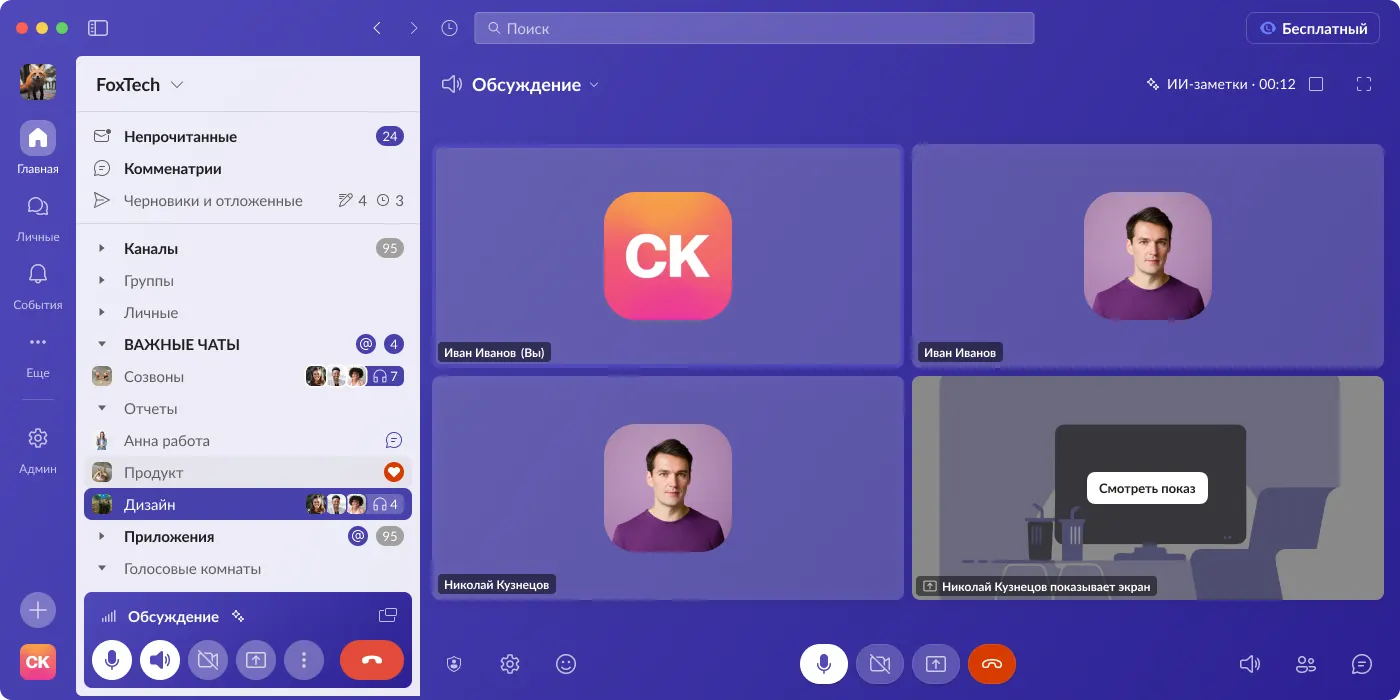
A group call: four participant cards, the speaker’s frame lights up with a speech bubble; the header shows an “AI notes” indicator with a timer
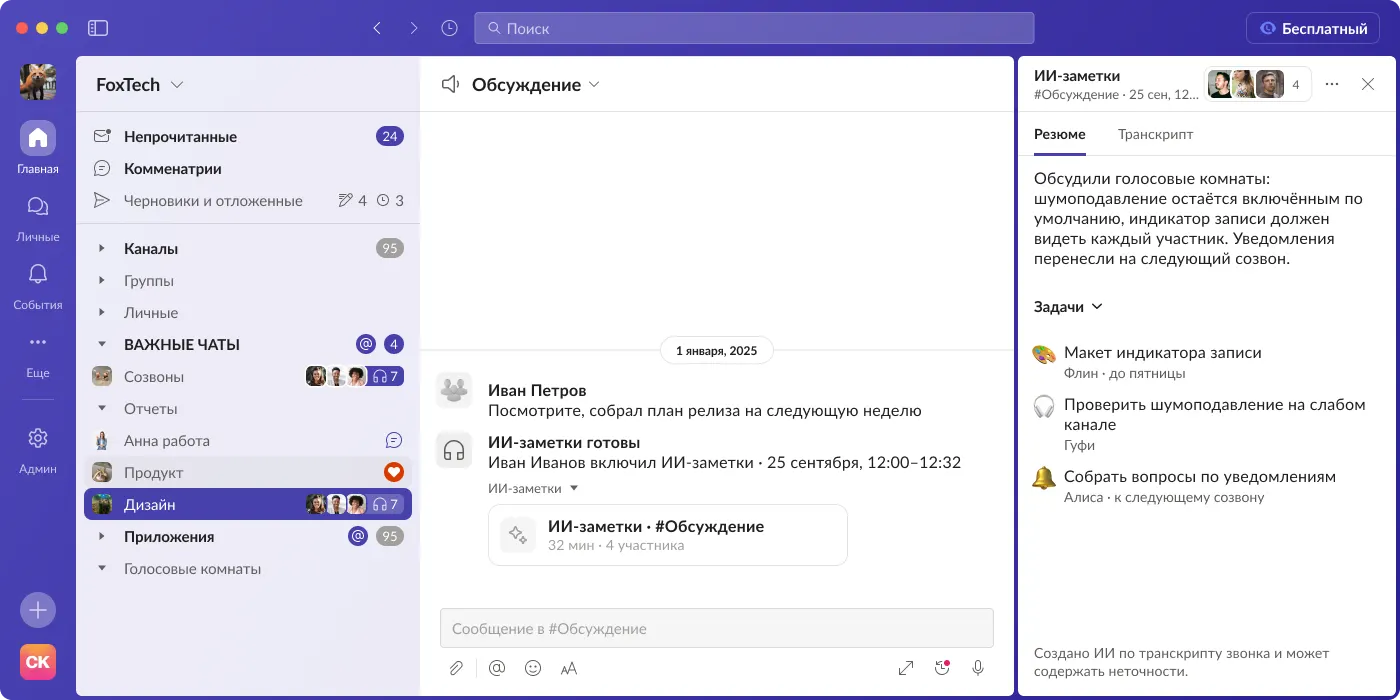
The AI notes panel after a call: a summary of the conversation and tasks with owners and deadlines
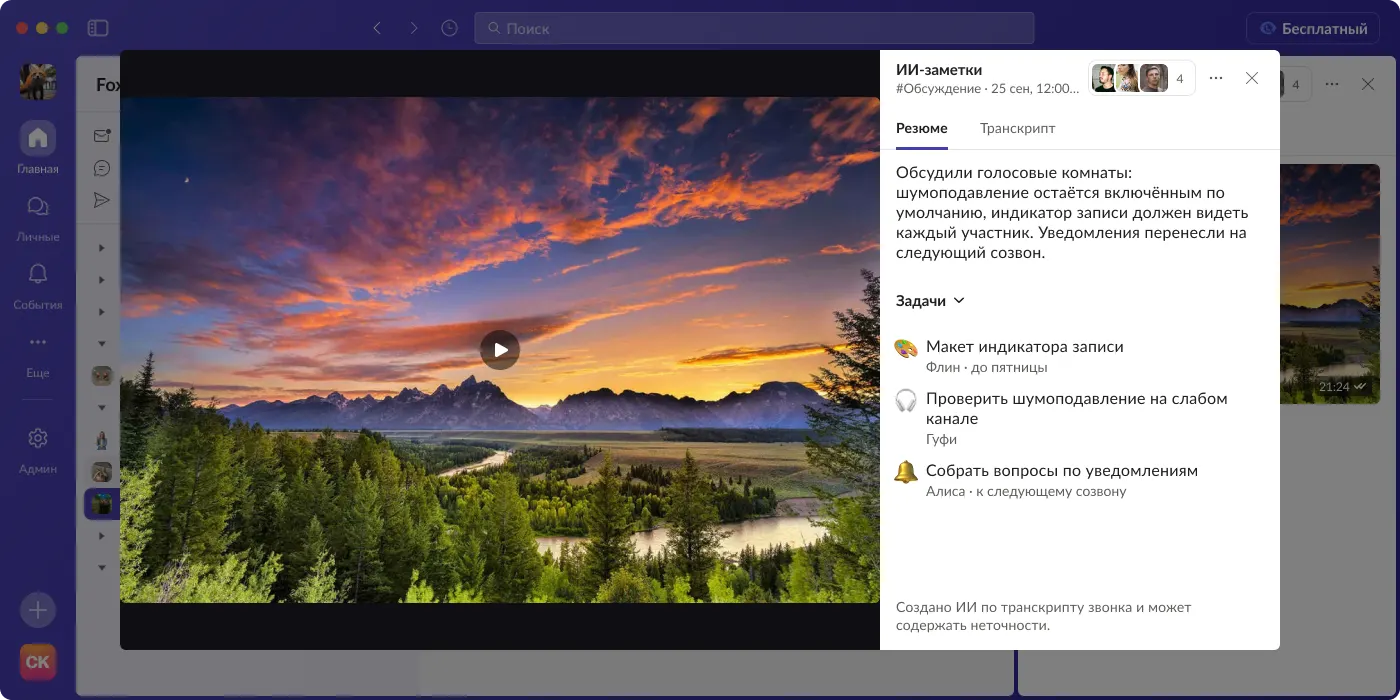
A call recording in full preview with the AI notes panel next to it

The task

Give teams calls inside the messenger: group and P2P, voice channels, screen sharing, and notes after the call so agreements are not lost.

What I did

  • Designed calls end to end: voice channels, screen sharing, viewer and push-to-talk modes, recording, a waiting room, links for external guests, and the mobile version.
  • Ran a comparative study of Zoom and Discord: viewing modes, participant card order, the mini window. Decisions based on it shipped in the product.
  • Designed AI notes for calls: a summary, tasks with owners and deadlines, and a transcript by speaker. Studied how Slack does it and described the flow step by step.
  • Worked through connection quality and devices: microphone check, device switching, a connection indicator, noise suppression.

The result

  • Decisions from the Zoom and Discord research shipped in the product.
  • Together with Arena, voice channels brought a wave of users: by the team’s estimate, the product’s audience grew about 2×.
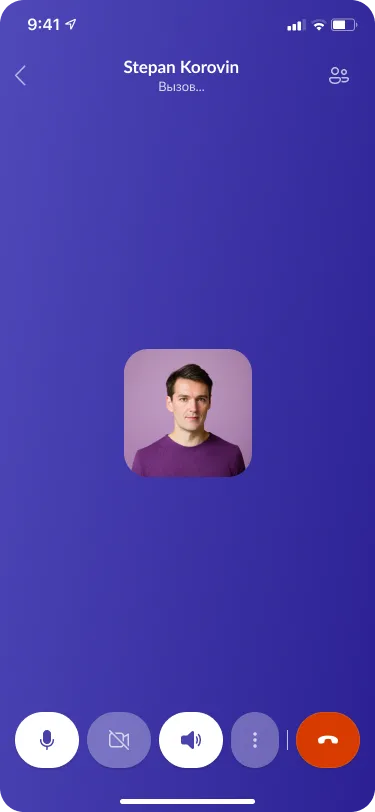
An outgoing call on a phone
Mobile calls: the same scenarios on a phone — dialing, microphone and camera controls, screen sharing

02

Lenza Arena

A community platform, a Discord alternative. Released in about a month

  • Sole designer
  • Desktop and mobile
  • From zero to release
Open the case as a separate page
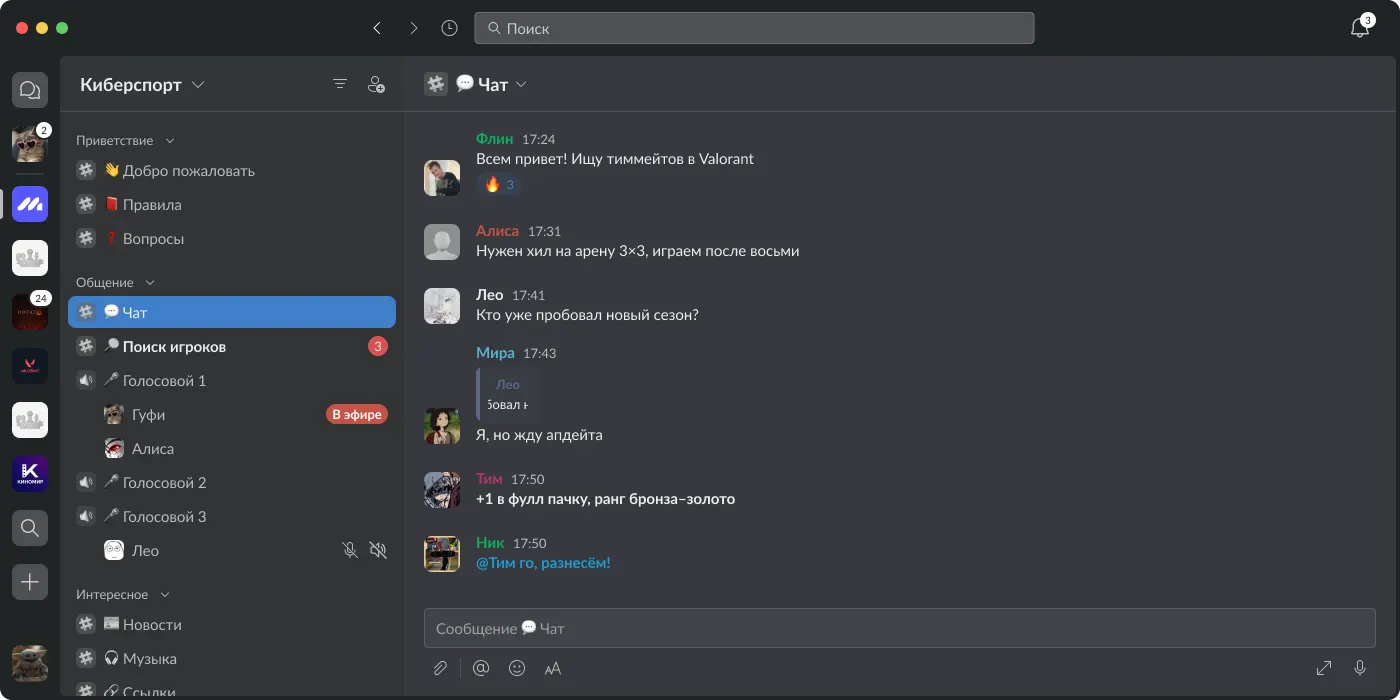
The “Esports” server in Arena: channels grouped by section on the left, the general chat with member messages on the right
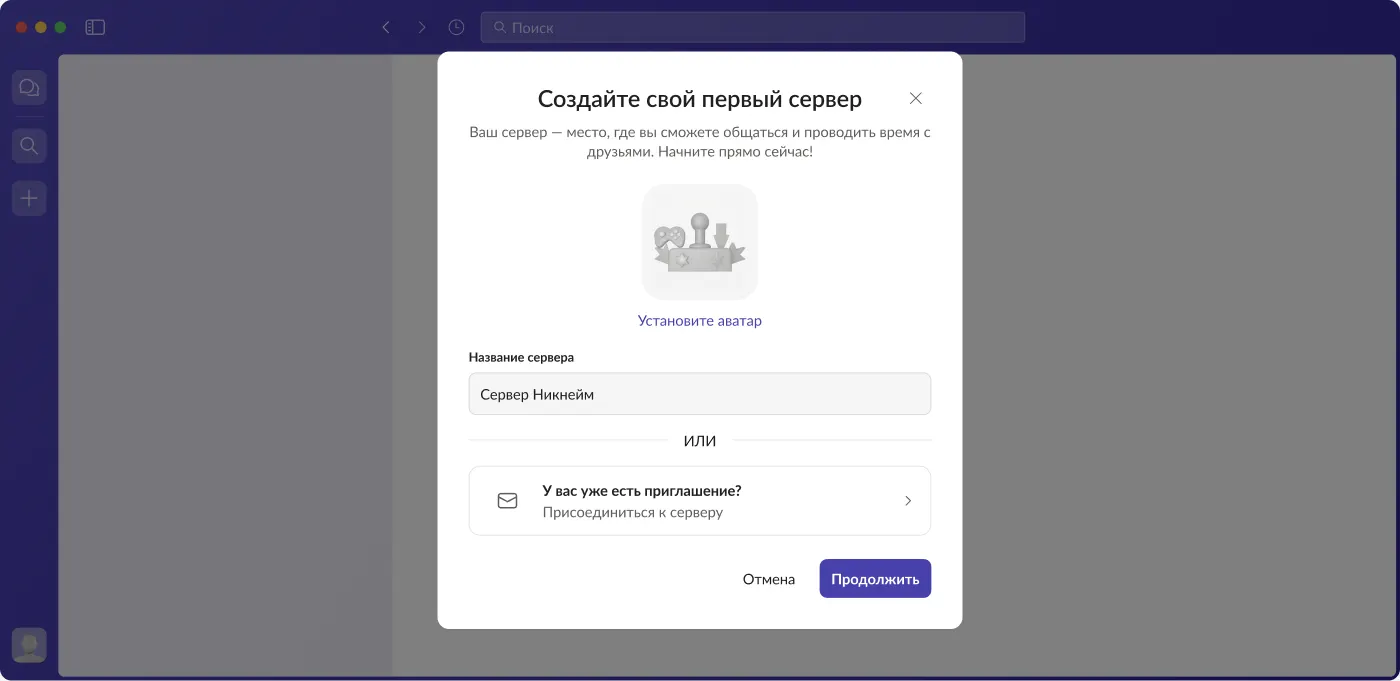
The “Create your first server” dialog: avatar, name, and the “Already have an invite?” option
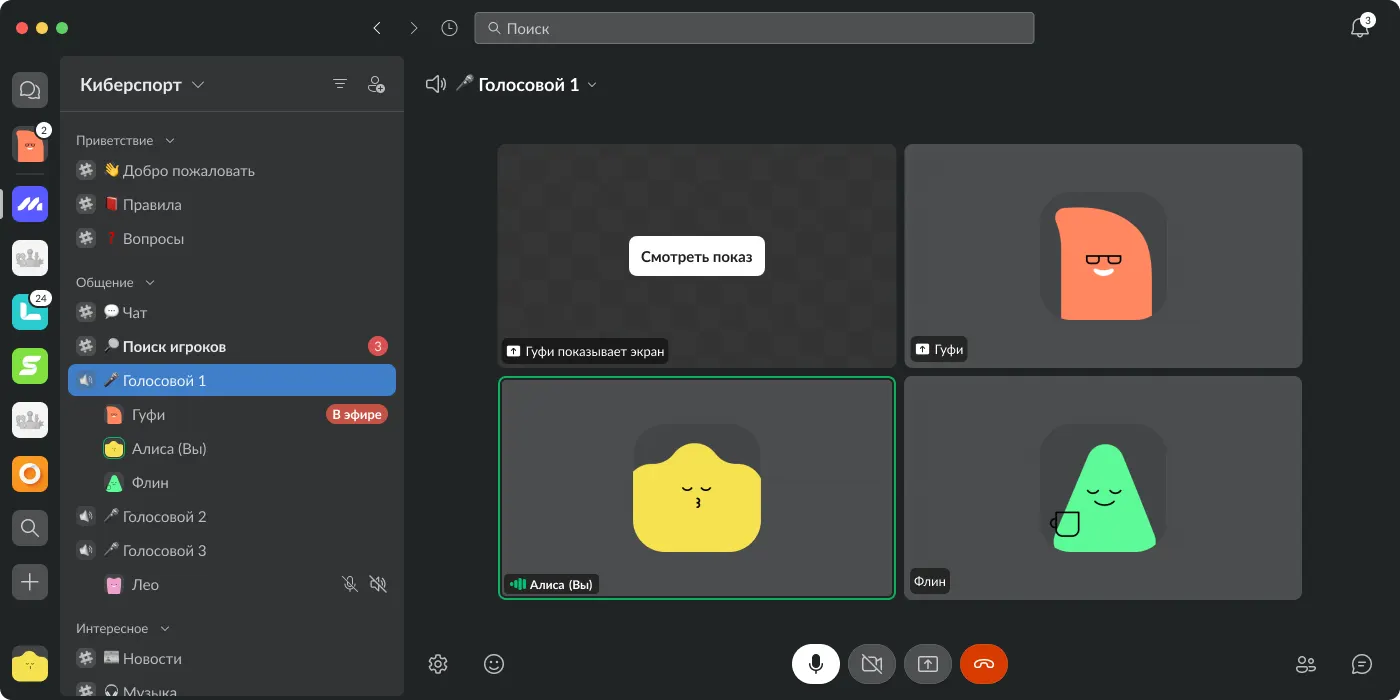
An Arena voice channel in the dark theme: four participants, one is sharing a screen, speakers get a highlighted frame and a speech bubble
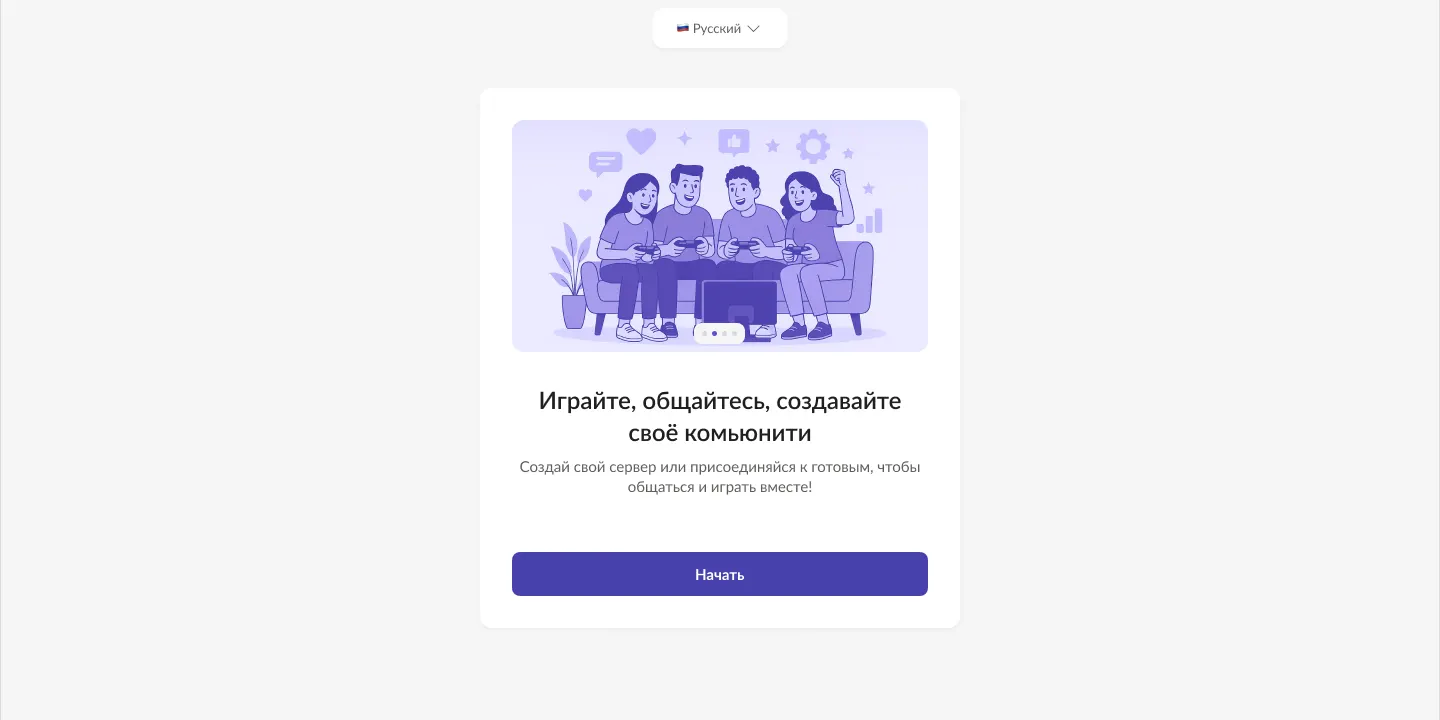
Arena sign-up and onboarding: “Play, chat, build your own community” and a “Start” button

The task

Give communities and gaming guilds their own place: servers, channels, roles, voice rooms, in-game activity.

What I did

  • Designed the product from scratch: from research to release on desktop and mobile.
  • Wrote product specs: server types, role and permission hierarchy, onboarding, system notifications.
  • Designed monetization through server boosts after studying the Discord Nitro and Boost model.

The result

  • Released in about a month, at the time Discord was blocked in Russia.
  • Together with voice channels it brought a wave of users: by the team’s estimate, the product’s audience grew about 2×.
How the work went

The team: me, the product lead, two developers and QA. We had about a month in total, so from day one I decided what goes into the first release.

  1. Research

    The main reference was Discord, plus Slack and other messengers. I studied the structure of servers and channels, roles and permissions, voice rooms, navigation and user scenarios. I looked for patterns that work and adapted them to Lenza.

  2. What I took from it

    A familiar community structure: servers and channels. Flexible roles and permissions. And voice rooms you can join without starting a call every time.

  3. The hardest decision: roles

    We had to combine flexibility for admins with a clear interface for regular members. We settled on this: members pick open roles themselves, while private roles are assigned by an admin. That keeps channel access and member groups under control.

  4. Priorities for one month

    The first release covered the core scenarios: creating servers, organizing channels, setting up roles, and chatting in text and voice rooms. Everything else was left to develop after launch.

  5. Mockups and acceptance

    I designed in Figma and agreed decisions with the product lead and engineering. After implementation I checked the interface against the mockups and looked for mismatches and problems in the scenarios.

The “Roles” page: the member view with open roles, then the admin “Edit roles” mode with an action menu
Roles and permissions: members choose open roles themselves, admins manage them in a separate mode

03

Lenza AI: the assistant and “Tasks”

LenzaBot collects requests from conversations into one list and tracks deadlines

  • Sole designer
  • Desktop
  • AI assistant
Open the case as a separate page
The “Tasks” section of the LenzaBot assistant: request lists by group and a task card on the right with linked messages and quick actions
The “Events” tab of the LenzaBot assistant with a task card and linked messages

The task

So that requests and agreements from chats do not get lost: see what I need to do, what I am waiting for from others, and what I am watching.

What I did

  • Designed the “Tasks” section: the lists “New”, “My actions”, “Waiting for others”, “Watching”, with sorting and tags.
  • The task card: linked chat messages, change history and quick actions — “Later”, “Done”, “Stop watching”.
  • Worked out snoozed tasks (a deadline menu and a calendar), closing a task right from the composer, the “Events” tab, assistant dialogs and the connection onboarding.

The result

  • All requests are in one place, each linked to its original message.
  • A task can be snoozed, closed or put under watch without leaving the conversation.
Dialogs with the LenzaBot assistant: chat history on the right, an input field at the bottom
Assistant dialogs: history by period and a new chat

04

The Lenza design system

Tokens, master components and rules — for people and for AI agents

  • Built from scratch
  • Desktop and Mobile
  • Figma Variables
Open the case as a separate page
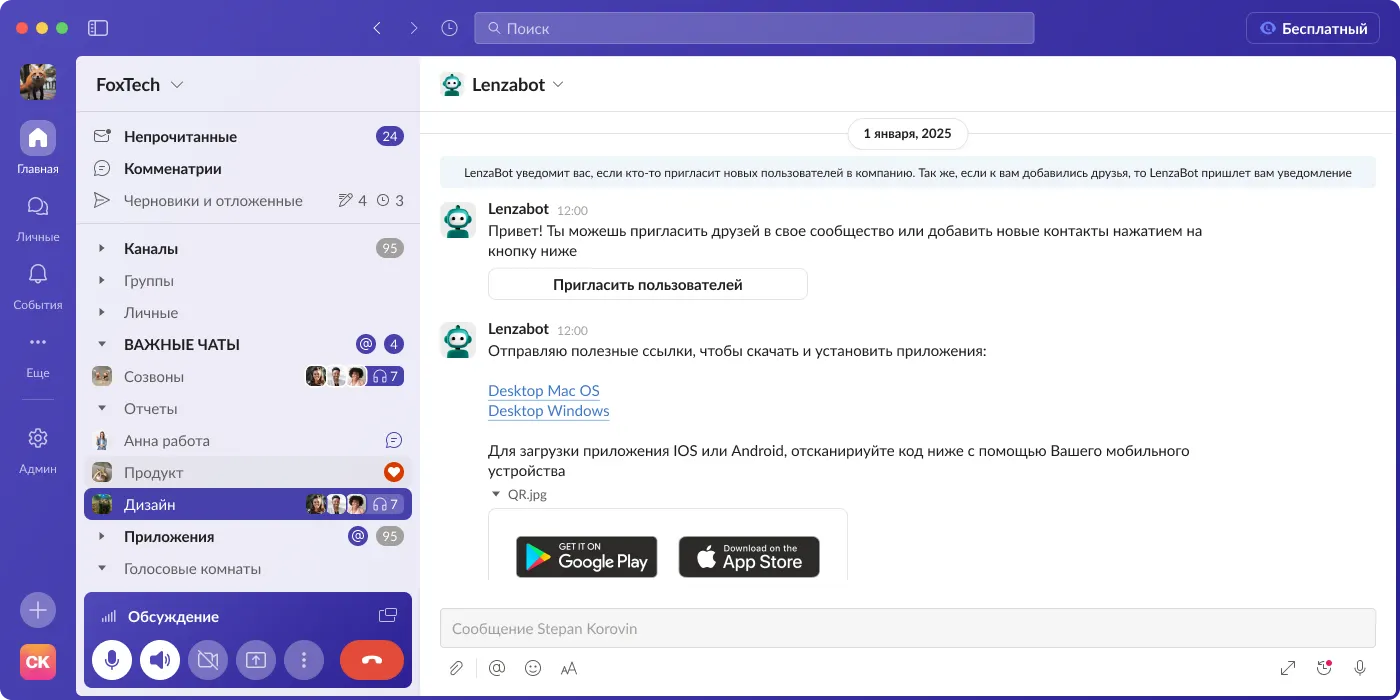
The Lenza chat in the base purple theme: left panel, a conversation with a bot, the input field
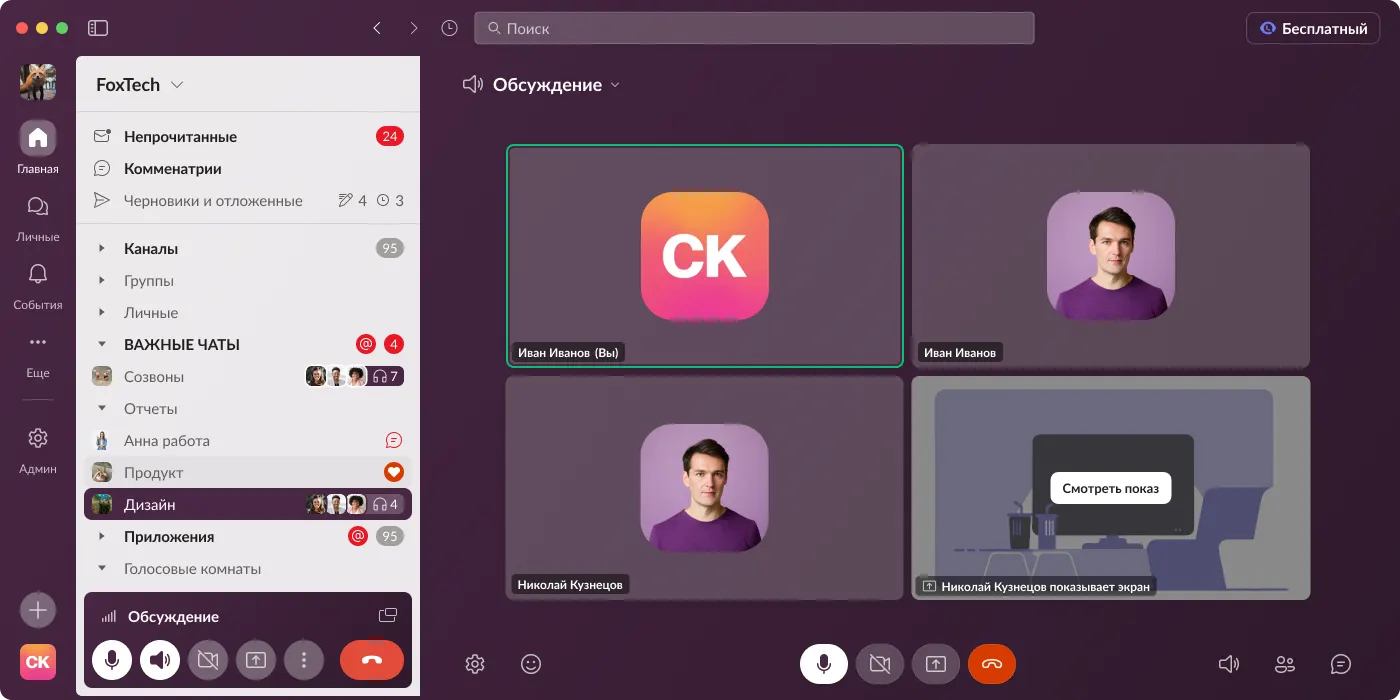
The same interface in the dark “Berry” theme: a group call, the left panel and controls

The task

Build the product on one system so screens are assembled fast and consistently — by hand or by an AI agent.

What I did

  • Built the system: color and radius tokens, master components, rules for desktop and mobile, and documentation for people and AI agents.
  • Audited about 30 groups of outdated components: cut redundant variants, brought sizes to a single grid, and tidied up naming.
  • Built AI into the process: screens are assembled from system components in a sandbox and go to handoff to engineering.

The result

  • The product moved to the new generation of components.
  • Themes are a change of tokens, not a redraw of screens.
The same interface in a green theme: only the color tokens change
The green theme: a change of tokens, not a redraw of screens
The “System rules” section: axes vocabulary, property prefixes, slots, tokens, typography
System rules: axes, slots, tokens, typography

More work

Messenger features and monetization

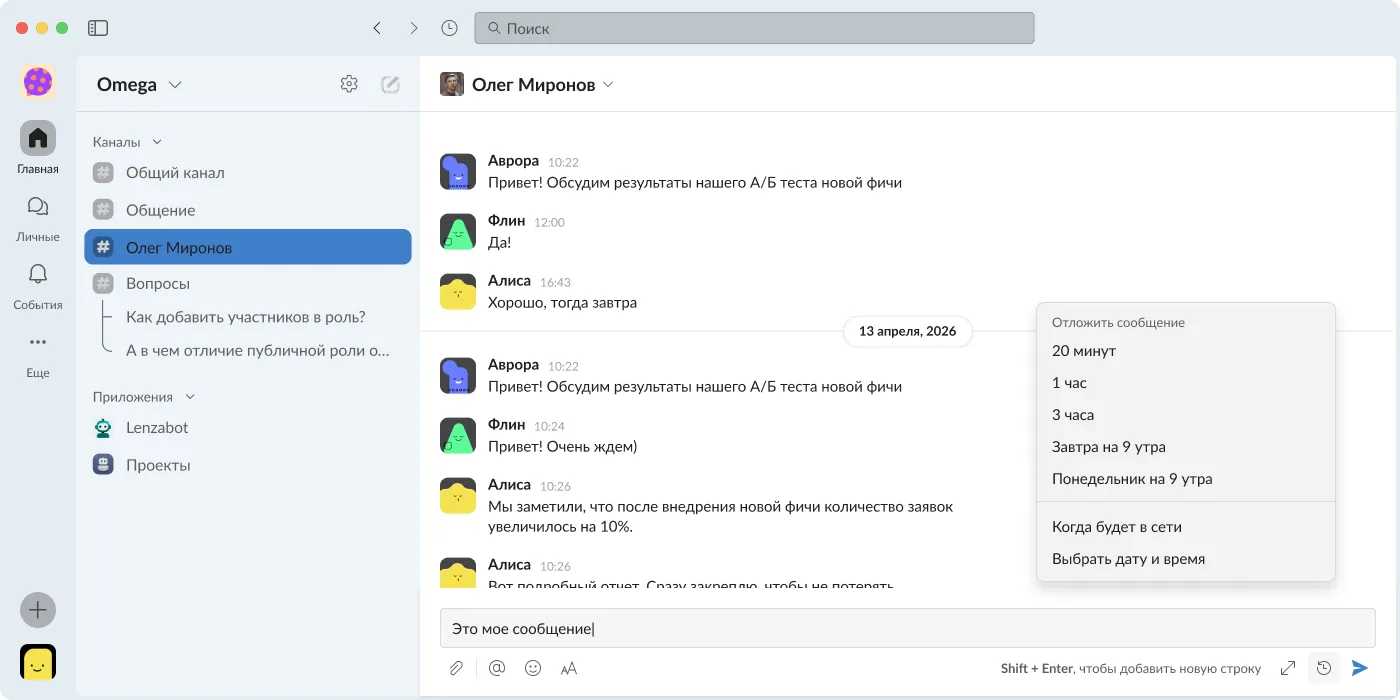
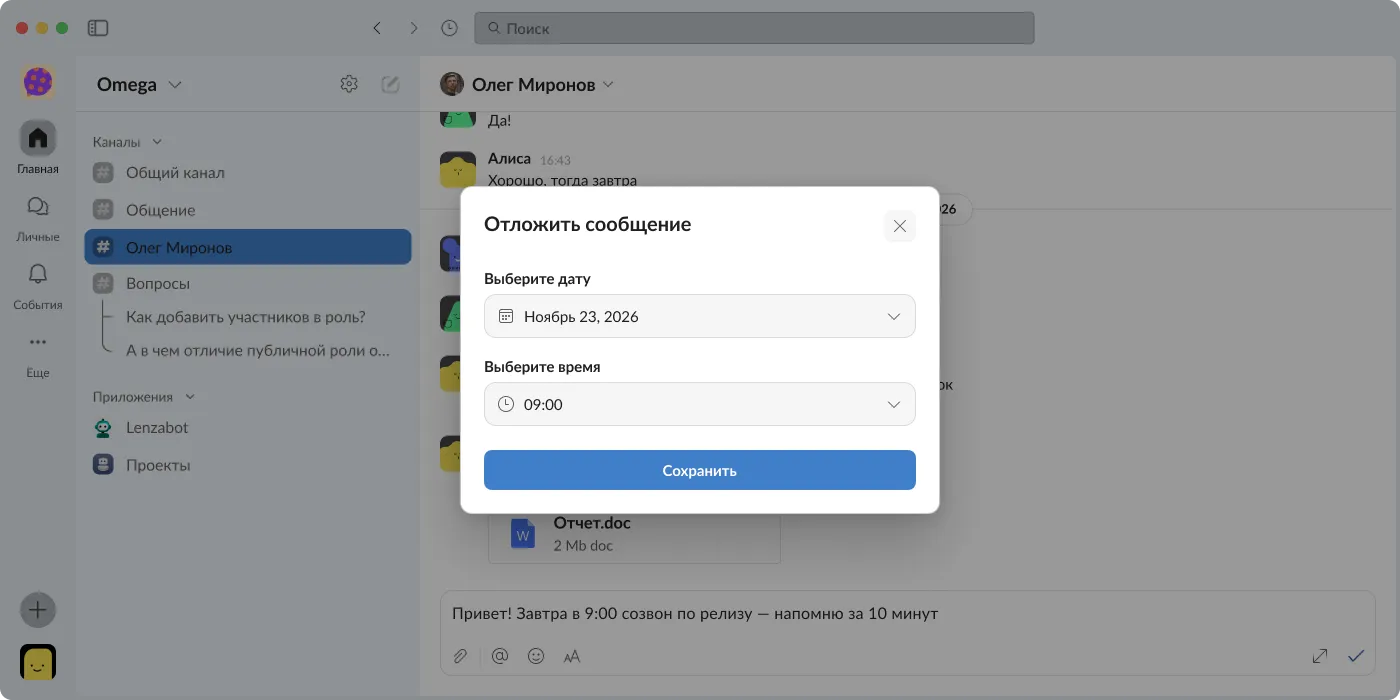
The scheduled-send menu with the “When online” item The “Schedule message” dialog with date and time pickers
  • Flow
  • Desktop

Send when the other person is online

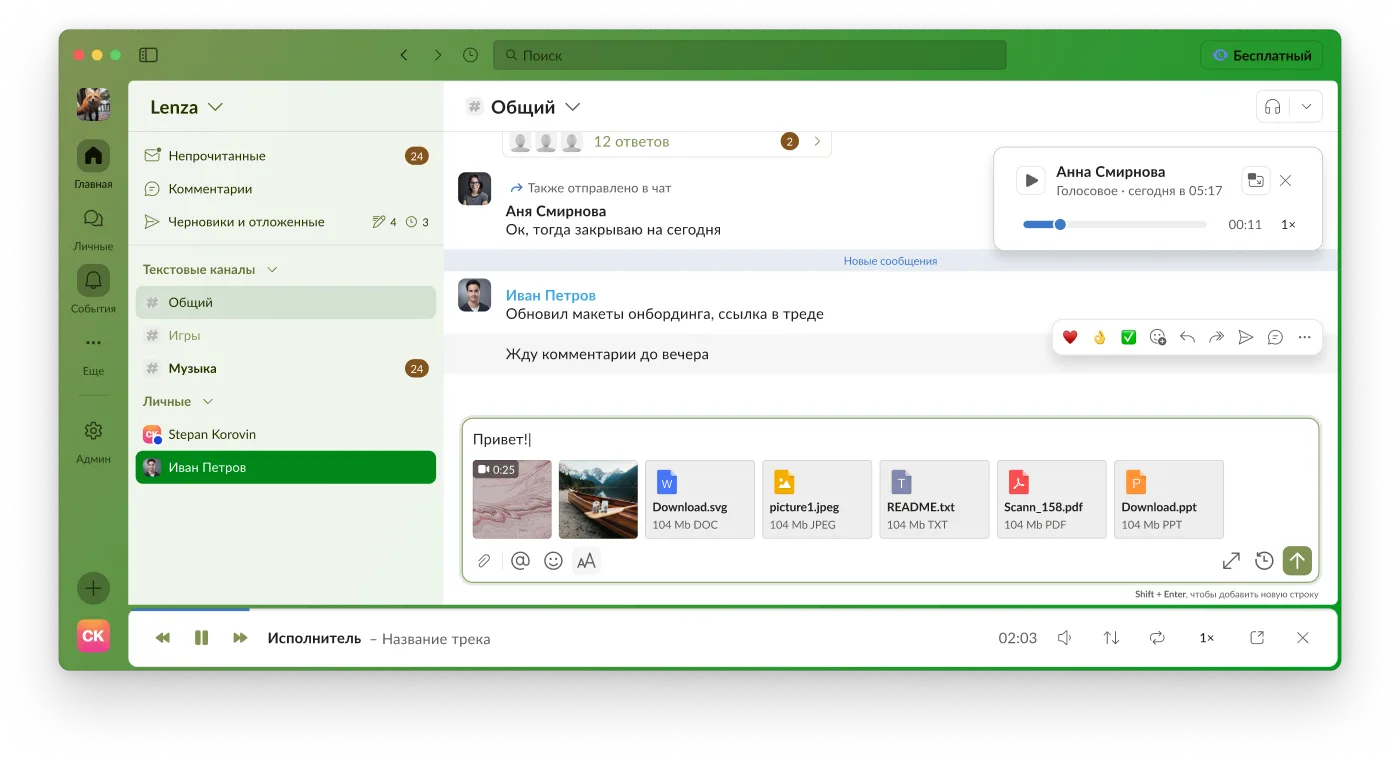
A new item in the scheduled-send menu: the message goes out as soon as the person comes online. The desktop flow step by step, from the button to the time-picker dialog.

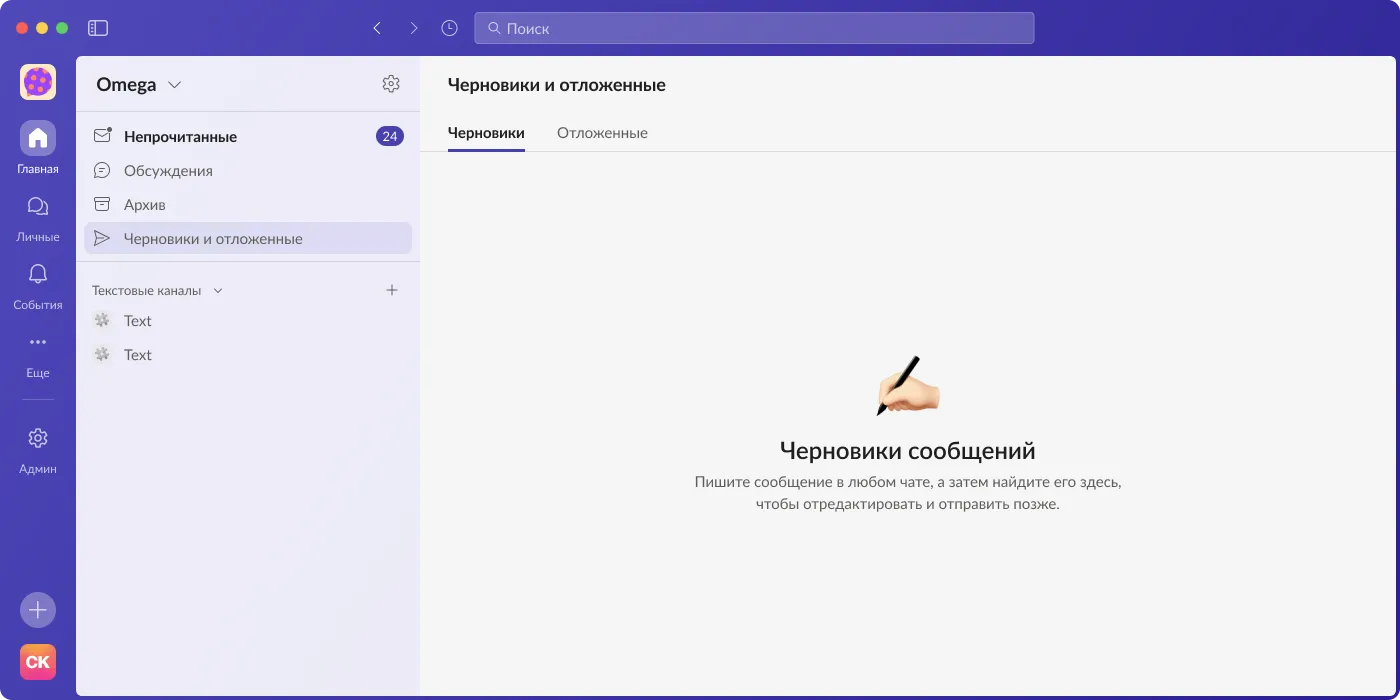
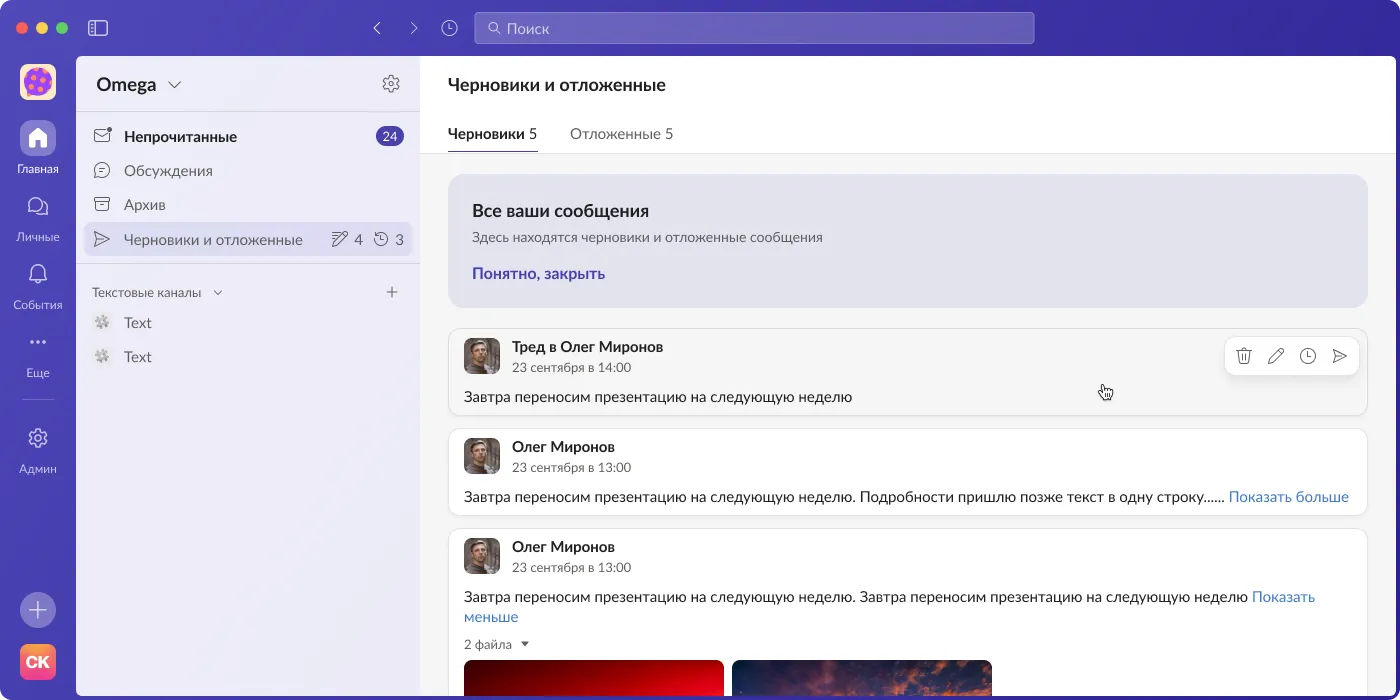
The “Drafts and scheduled” section: the “Message drafts” empty state A list of drafts and scheduled messages with a quick-actions bar
  • Flow
  • Desktop

Drafts and scheduled messages

A separate section with all drafts and scheduled messages: an empty state, a list with quick actions (delete, edit, reschedule, send) and tabs.

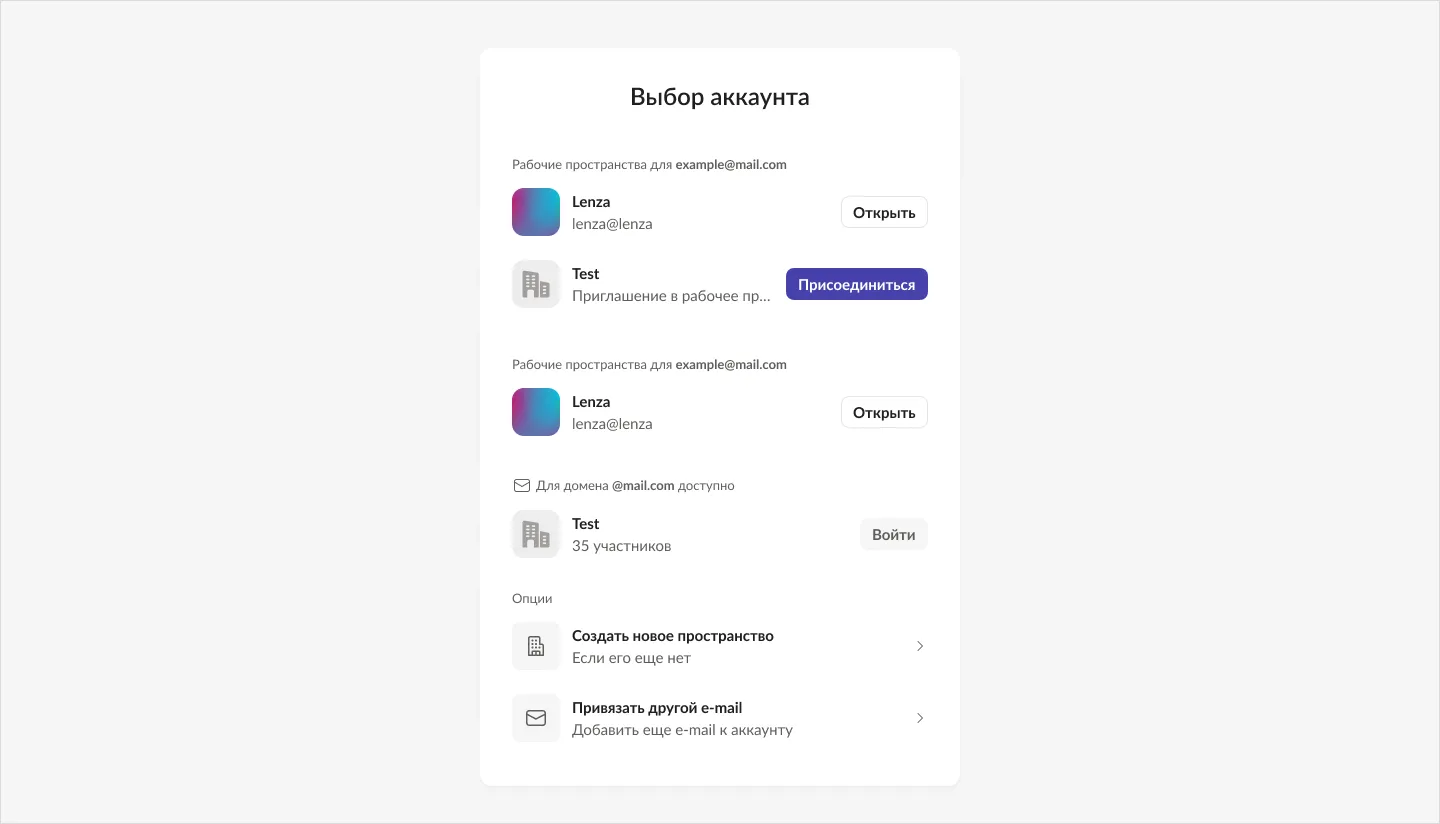
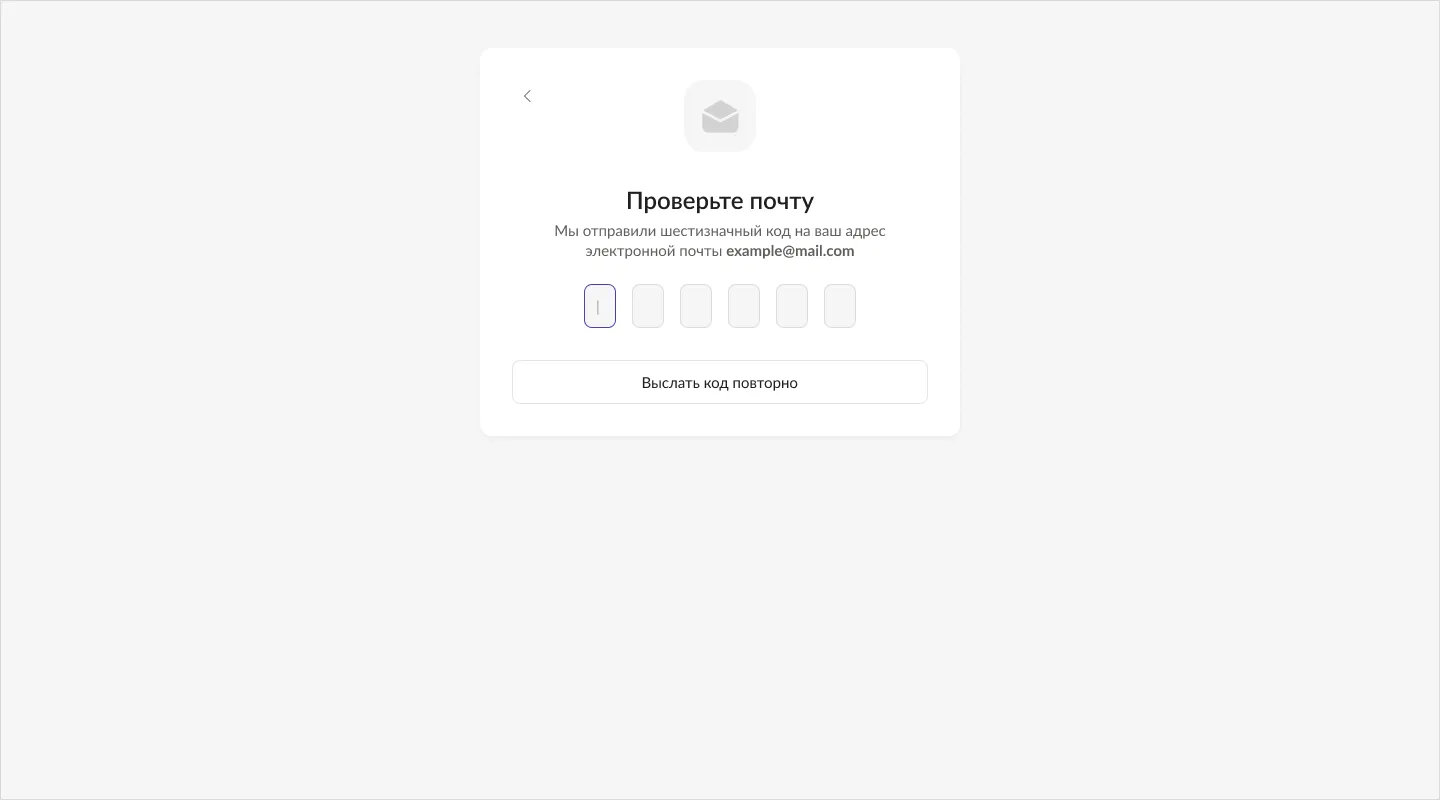
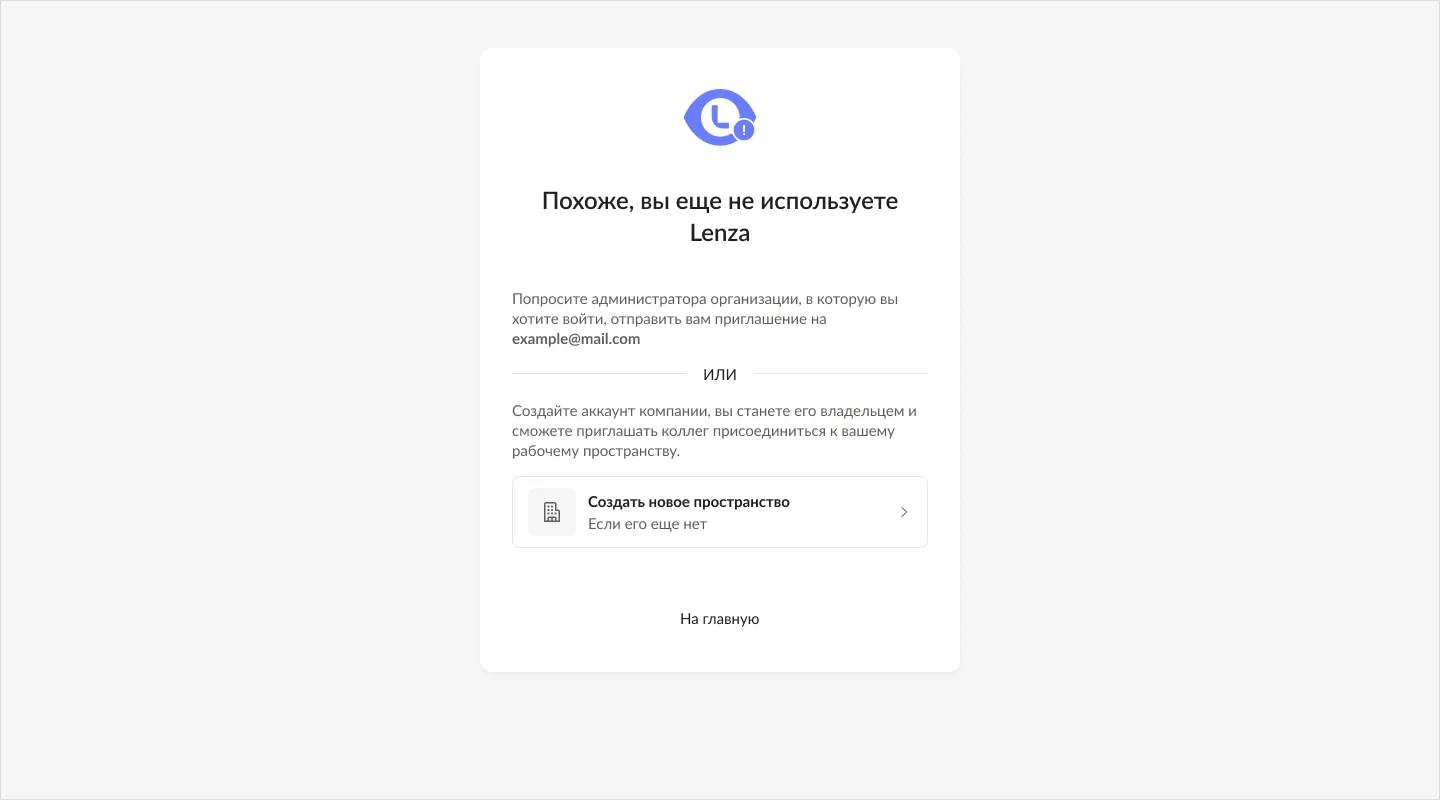
The “Choose account” screen: personal accounts and workspaces with “Open” and “Join” buttons The “Check your email” screen: entering a six-digit code The “Looks like you are not using Lenza yet” screen: an invitation or creating a new workspace
  • Onboarding
  • B2B

Sign-in and workspaces

Multi-account and workspace selection: sign-in by email with a code, account picker, invitations and creating a new workspace for business.

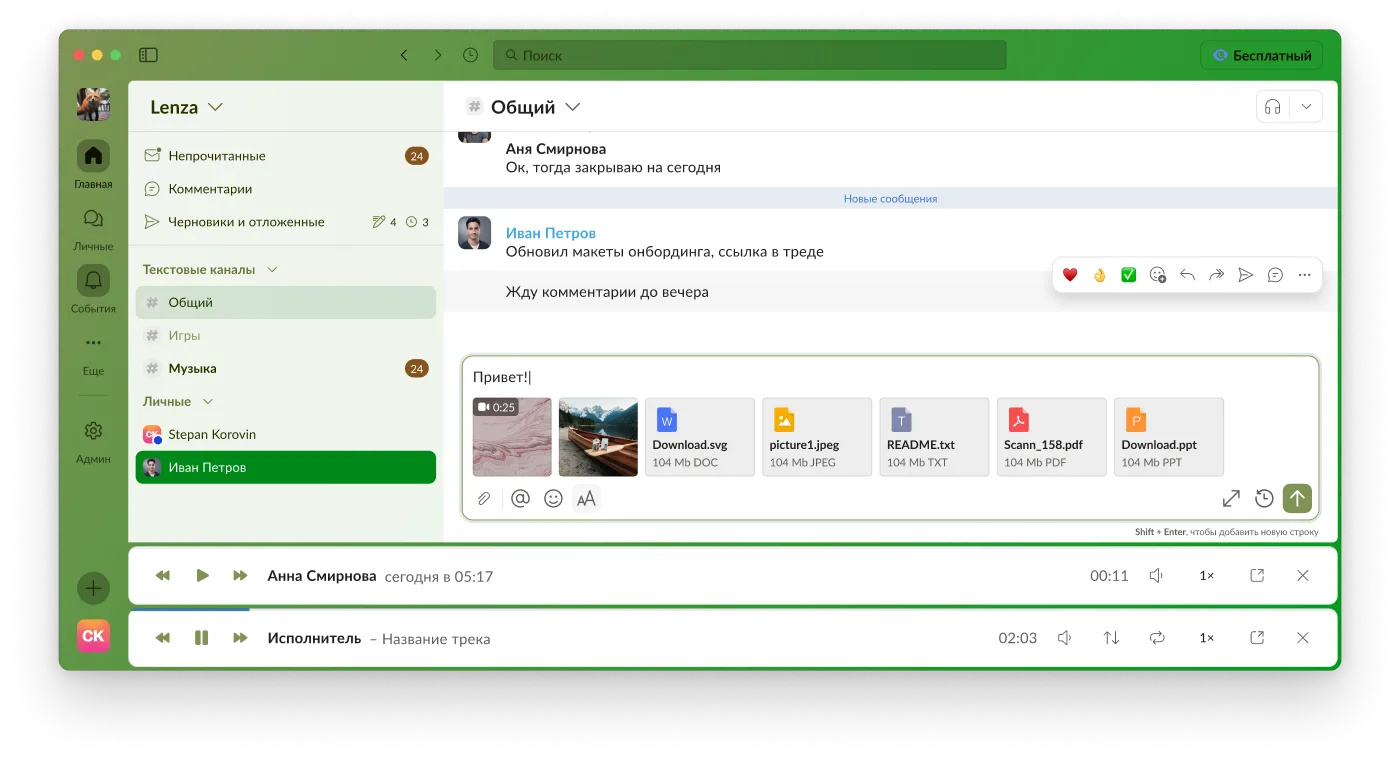
A chat with the audio player pinned to the bottom of the window A mini player for a voice message over the chat
  • Component
  • Desktop

Audio player

A player for voice messages and music at the bottom of the window and a mini player over the chat. States, scrubbing, and the Audio Bar component in the design system.

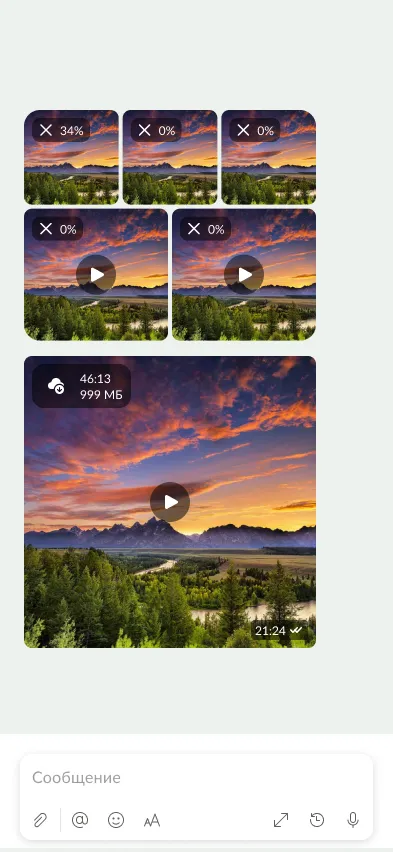
An album of photos and video in a phone chat: upload progress on the previews
  • States
  • Mobile

Media upload

Upload statuses for photos and video, the outgoing queue, auto-download and storage settings. The benchmark is how Telegram does it.

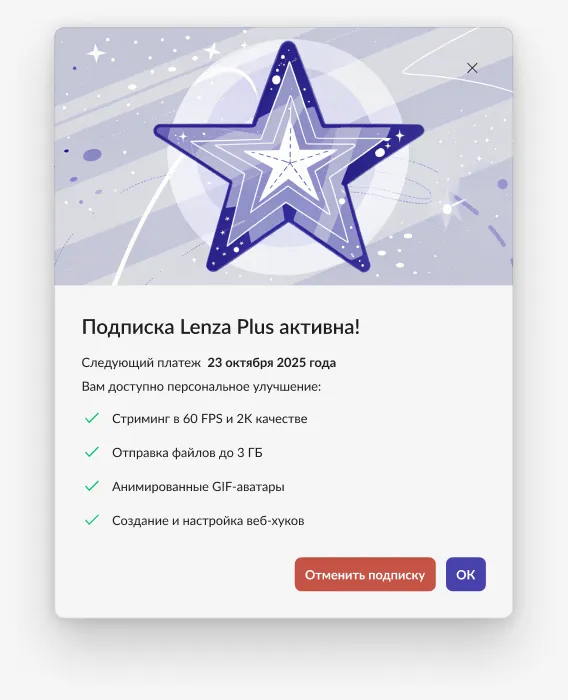
The “Lenza Plus subscription is active” window with a list of subscription benefits
  • Monetization
  • B2B

Lenza Plus and plans

The Lenza Plus subscription, business account and plans, a trial period, SSO. Screens for purchase, subscription management and renewal.

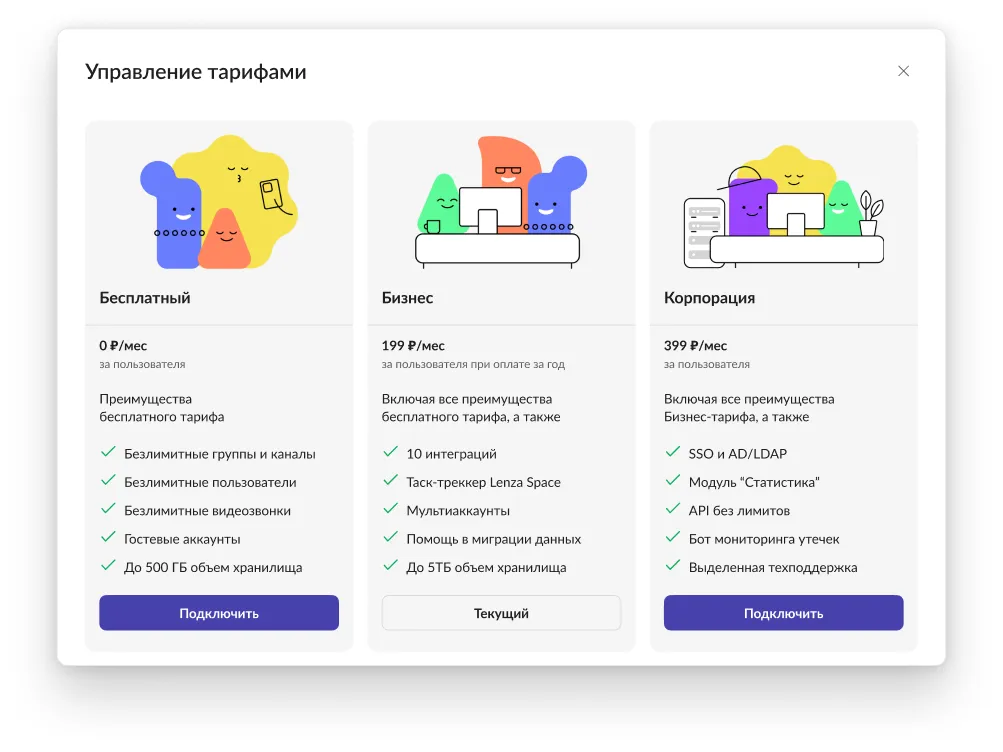
The “Manage plans” dialog: three plans — “Free”, “Business” and “Corporation” — with feature lists and activation buttons
  • Monetization
  • B2B

Business account and plans

Plan management in the account: “Free”, “Business” and “Corporation”, a feature comparison and plan activation.

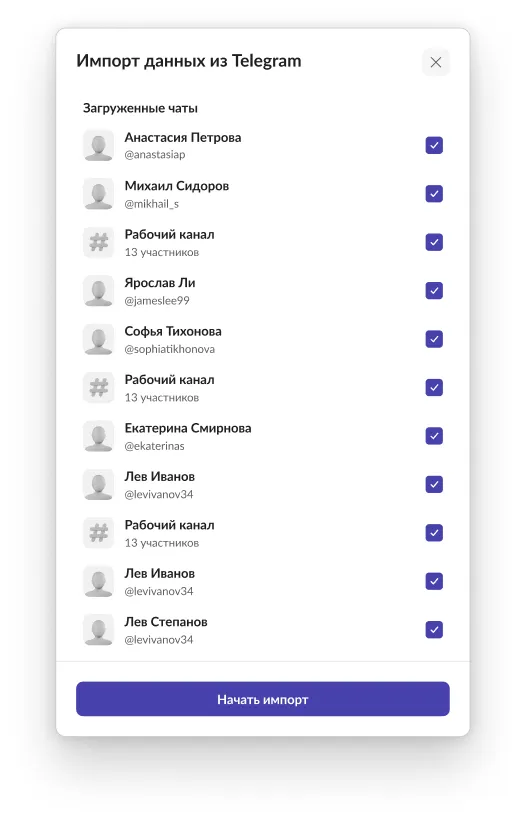
The “Import data from Telegram” dialog: a list of loaded chats with check marks and a “Start import” button
  • Flow
  • Onboarding

Importing chats from Telegram

Moving conversations to Lenza with an import key: choosing chats and channels, key error states, syncing what is already loaded.

The Lenza window with the “Theme and appearance” panel open: color mode, the “Plum”, “Eggplant”, “Classic” and “Fresh” themes, chat wallpaper and sliders
  • Theme
  • Design system

Theme and appearance

Color mode, ready-made themes and custom colors, chat wallpapers with transparency and blur, and a “ribbon” or “blocks” layout. A theme changes through system tokens, with no screen redraw.

Stepan Korovin, portrait

About

I lead a product from research to release and build a system around it

Product designer with 5 years of experience. For the last 2 years the sole designer of the B2B messenger Lenza: from research to release acceptance.

My strengths are research and benchmarks, systems thinking, and close work with engineering and QA. I use AI tools, including Claude Code, in the design process.

Skills

B2B / SaaS product design

  • User flows
  • Prototyping
  • Specs for development
  • Implementation acceptance

Design systems

  • Design tokens
  • Figma Variables
  • Components and variants
  • Documentation

Research

  • Competitive analysis
  • Benchmarks
  • Collecting and processing feedback

AI in design

  • Claude Code
  • Vibe-coding prototypes
  • AI agents working with the design system

Platforms · Also

  • Desktop (Electron)
  • Web
  • iOS and Android
  • Responsive
  • Basic HTML/CSS
  • Simple motion
  • Graphic design

Tools

  • Figma: Auto Layout, Variables, components, prototypes
  • Claude Code
  • HTML/CSS (basic level)

Education

  • College in Tolyatti
  • Information systems and programming

Languages

  • Russian — native
  • English — B1

Path

  1. June 2024 — October 2026 Product designer, Lenza Sole designer: desktop and mobile, calls, Arena, Spaces, the design system
  2. 2022 — June 2024 UX/UI designer, freelance Web, mobile apps, branding
  3. earlier Graphic design, freelance

Contact

Let’s discuss what we can do together

Open to offers: remote, teams in Samara, and I’m willing to consider relocation. The fastest reply is on Telegram.

What would you like to write about? Pick a topic or just write

Telegram
@stkorovin
Email
st.korovin@mail.ru
City
Samara

© 2026 Stepan Korovin · ← → flip screens · ? all shortcuts · Русский